Author Archives: azeon

Windows Bootable Disk လုပ်နည်း

Window အခွေ (သို့) iso file ထဲက data တွေအကုန် Copy ကူးရမှာပါ။

Step 1: type cmd at run box ( windows + r )

Step 2: On the command prompt, type diskpart to enter the diskpart utility.

Step 3: At the DISKPART> prompt, type list disk.

Step 4: Type select disk 4, where ‘4’ is the number of your USB flash drive from the list.

Step 5: Type clean to clean the USB flash drive.

Step 6: Type create partition primary. This will create a partition in the USB.

Step 7: Type active, to make the partition active.

Step 8: Type format fs=fat32 quick to format the USB flash drive quickly in the FAT32 file system.

Step 9: Type assign to have Windows assign a drive letter to the drive. Type exit to leave diskpart and type exit again to close the command prompt.

Step 10: Insert your Windows 7 disc into your computer and copy all the files to the USB flash drive

အဆင်မပြေမှာစိုးလို့ Screen Shot ရိုက်ပြီ တင်ပေးလိုက်ပါတယ်။

http://api.ning.com/files/7r7-fVudwtqV9ppirVSLumZ9TqOxWgBvQ-lHJNgdcVnkvRZRVQh39a17SzFCTGkTBqtZmvw-LyekC5LXLvSuSuQ6DsNbVJrZ/screenshot.3.jpg

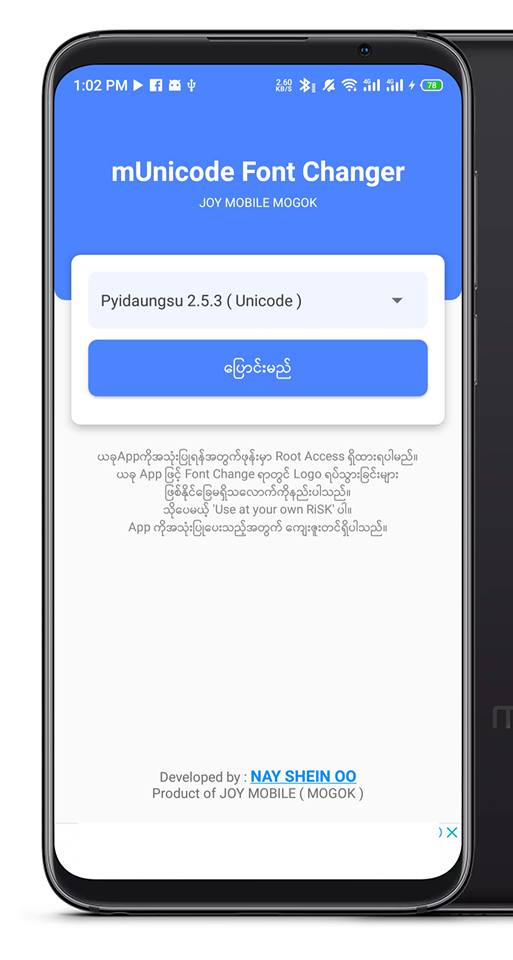
Meizu Myanmar Unicode Font Changer

အခု App ကိုအသုံးပြုဖို့အတွက် ဖုန်းမှာ Root Access လိုပါမယ်။ Root ရှိရင် Unicode ပြောင်းတာ၊ Zawgyi ပြန်ပြောင်းတာကို One Click နဲ့လုပ်လို့ရပါမယ်။ အခု App ကိုသုံးလို့ Logo လည်မှာတွေမပူရဘူး။ စိတ်ချလက်ချ ကြိုက်သလောက်သုံးလို့ရပါတယ်။
အဓိကကတော့ Meizu ဖုန်းတွေအတွက် ထုတ်တာပါ။ သို့ပေမယ့် အခြားဖုန်းတွေအတွက်လည်း အဆင်ပြေပါလိမ့်မယ်။
မနေ့က post အဟောင်းကို Share ပေးကြတဲ့သူတွေအားလုံးကိုလည်း ကျေးဇူးတင်ပါတယ်ခင်ဗျ။
Credit နေရှိန်းဦး (မိုးကုတ်)

Vivo ဖုန်းတွေ ယူနီကုဒ်သုံးပြီးတော့ messenger မှာစာမမှန်ဖြစ်နေရင်

Unicode ပြောင်းသုံးတဲ့အခါမှာ Vivo သမားတွေ Messenger မှာစာရိုက်တဲ့အခါ သဝေထိုး ( ​ေ ) နဲ့ ရရစ် ( ြ ) အခက်အခဲရှိပါတယ်။
ဥပမာ- Messenger မေမေ လို့ ရိုက်လိုက်ရင် ( မ​ေ မ​ေ ) လို့ ပြောင်းပြန်ပေါ်ပါတယ် ကကြီးရရစ် ကြ လို့ရေးလိုက်ရင် ( ြက ) ရရစ်အရင်ကကြီးကနောက်ကပေါ်ပါတယ် Group တွေမှာ အဲ့ပြဿနာကိုပိုစ့်တင်မေးလိုက်တဲ့အခါမှာ အဖြေရခဲ့ပါပြီ Vivo သမားများအဆင်ပြေကြပါစေ။
Vivo ဖုန်းမှာ Theme ကို freshness ရိုက်ရှာပြီး Down လိုက်တာ Messenger မှာ သဝေထိုး ရော
ရရစ်ပါ သင်ပုန်းကြီးအတိုင်းရေးလို့ရသွားပါပြီ Vivo သမားများ Theme ရဲ့ search မှာ freshness ရိုက်ပြီး down ကြပါလို့အကြံပြုပါရစေ။

Mac OS Catalina မှာ မြန်မာယူနီကုဒ်စနစ်ဖွင့်နည်း

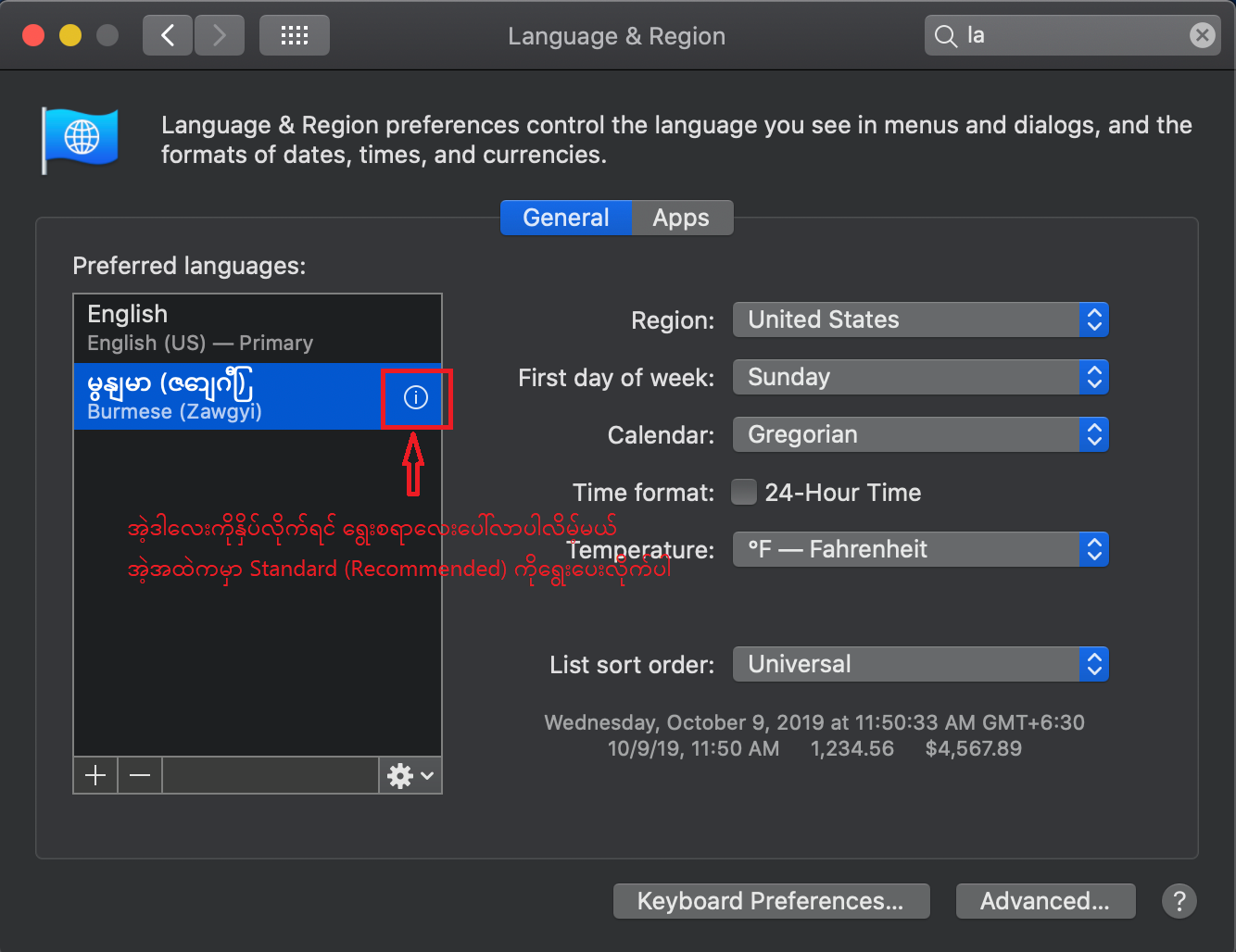
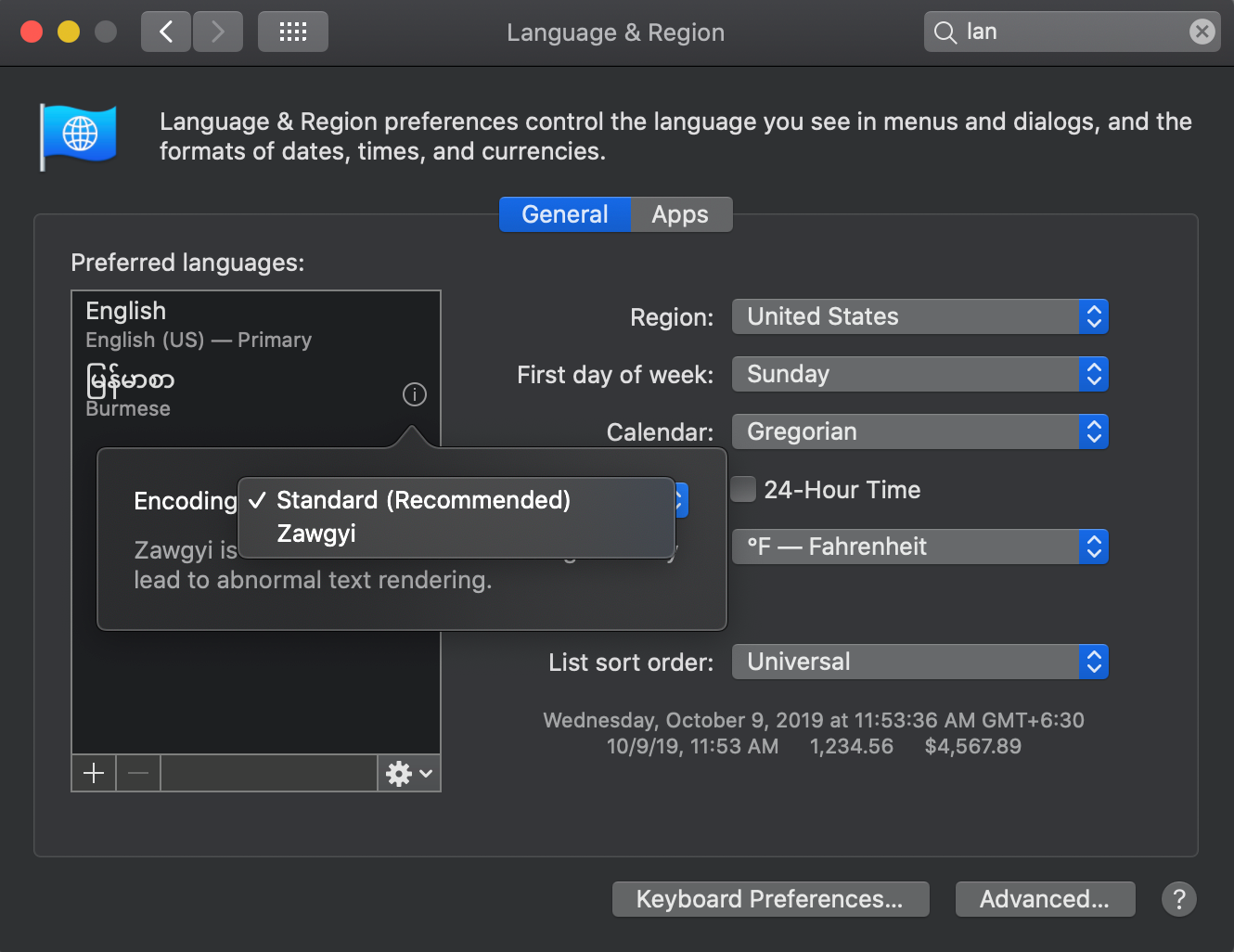
Mac OS Catalina မှာ မြန်မာယူနီကုဒ်ပါပေမယ့် သူတို့ဖက်ကမှားတာလား တမင်လုပ်လိုက်တာလားတော့ မသိဘူး ဇော်ဂျီက default ဖြစ်နေပါလိမ့်မယ် အဲ့လိုဖြစ်နေလို့ ယူနီကုဒ်ကို ပြောင်းချင်ရင်တော့ system preference ကနေ language and region ကိုဝင်ပြီး Burmese မှာ Standard (Recommended) လို့ ဝင်ပြင်ပေးလိုက်ရင်ရပါပြီ နမူနာပုံလဲပြပေးထားပါတယ် ကြည့်ကြည့်ပါ


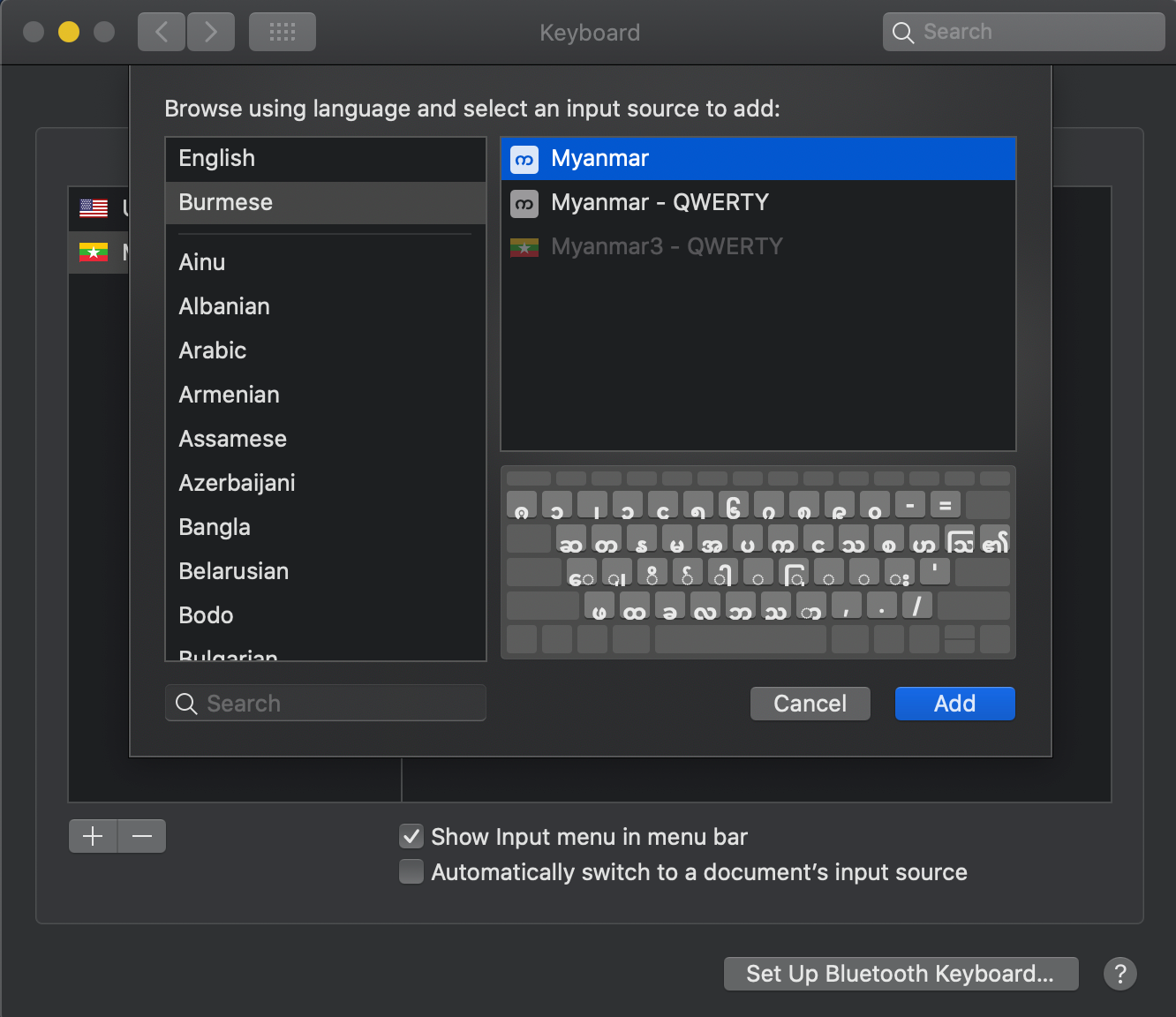
မြန်မာစာအတွက် ကီးဘုတ်ပါ ပါလာပါပြီ သဝေထိုးနောက်မှ ရိုက်ရတာပါ မြန်မာ၃ လက်ကွက်နဲ့လဲ အတူတူပါပဲ

ANT DOWNLOAD MANAGER တဲ့ မဆိုးဘူး

ANT DOWNLOAD MANAGER တဲ့ သူကဘာတွေလုပ်နိုင်လဲဆိုတော့ အောက်မှာသူ့ရဲ့ ဖီးချားတွေရေးပေးထားတယ် ဖတ်သာကြည့်လိုက်တော့

Feature

  • No advertising
  • Simple and intuitive interface
  • A User’s Guide that is maintained up-to-date with each new version
  • Saving the downloaded files by category, all together in a single folder, or any other different from the binding categorized
  • Support downloads lists with extensive sorting and search capabilities
  • Links parking, active downloads indicators
  • Redownload bad fragments. If the file was downloaded with errors, that is, the ability to redownload only erroneous fragments, rather than to start download again
  • Control download speeds for all or for selected downloads
  • Monitor the clipboard (On\Off – Config\Tab General)
  • Download priorities: Highest, High, Normal, Below, Low, Disabled
  • Computer shutdown after all downloads
  • Disable hibernation during download (On\Off – Config\Tab Downloads)
  • The ability to automatically delete the task after loading (On\Off – Config\Tab Automation)
  • Sound (On\Off – Config\Tab Sounds)
  • The possibility of changing the software’s skins

Download Here