Category Archives: Windows

DRIVER BOOSTER (v7) တဲ့

DRIVER BOOSTER (7) လေးပါ သုံးဖူးတဲ့သူတွေကတော့ သူနဲ့ဘာလို့လို့ရလဲဆိုတာ ပြောစရာ မလိုလောက်တော့ပါဘူး မသိသေးတဲ့သူတွေ သိအောင်အလွယ်ပြောရမယ်ဆိုရင်တော့ ကွန်ပျူတာက driver တွေ update လုပ်လို့ရတယ် ဘယ်ဟာကအဆင်မပြေဖြစ်နေလဲစစ်ပေးနိုင်တယ် (driver update မဖြစ်ရင် စက်လေးတာတွေ ဂိမ်းဆော့ရင်ထစ်တာတွေဖြစ်တတ်ပါတယ်) 
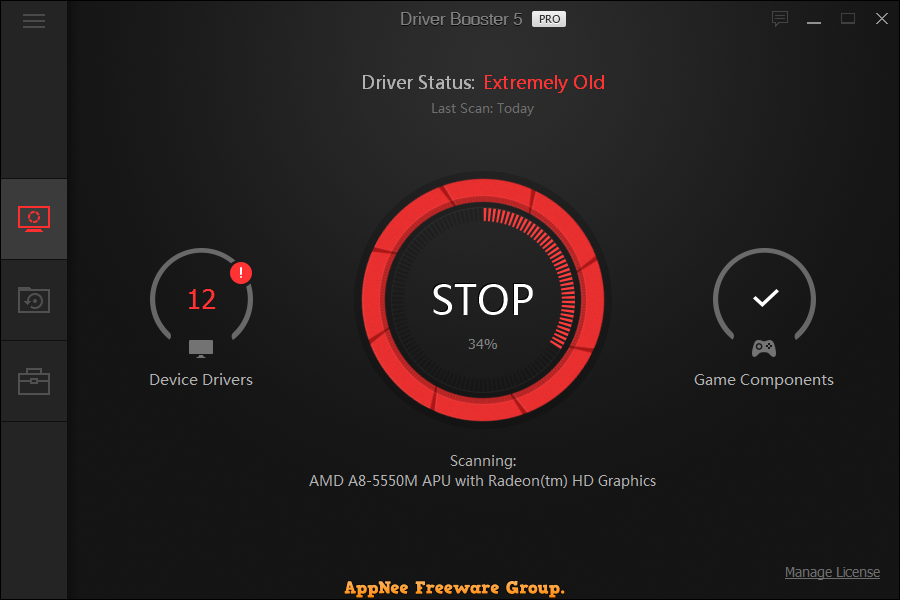
ဒီကောင်လေးမှာလုပ်နိုင်တာတွေကတော့ အောက်မှာရေးထားတဲ့အတိုင်းပါပဲ …

  • Automatically Scan & Identify Outdated, Missing & Faulty Drivers
  • Download and Update Outdated Drivers with One Click
  • Smaller Driver Package with New Driver Compression Algorithm
  • Safer Updating with Qualified WHQL Drivers ONLY
  • Unlock Driver Update Speed Limit
  • Larger Database to Update More Outdated & Rare Drivers
  • Reduce System Freezes & Crashes for Better Performance
  • Improved Auto Download to Accelerate Download
  • Automatically Backup All Drivers for Safe Restore
  • Auto Driver Download & Installation during System Idle Time
  • Priority to Update Game Components for Better Gaming
  • Automatically Update to the Latest Version


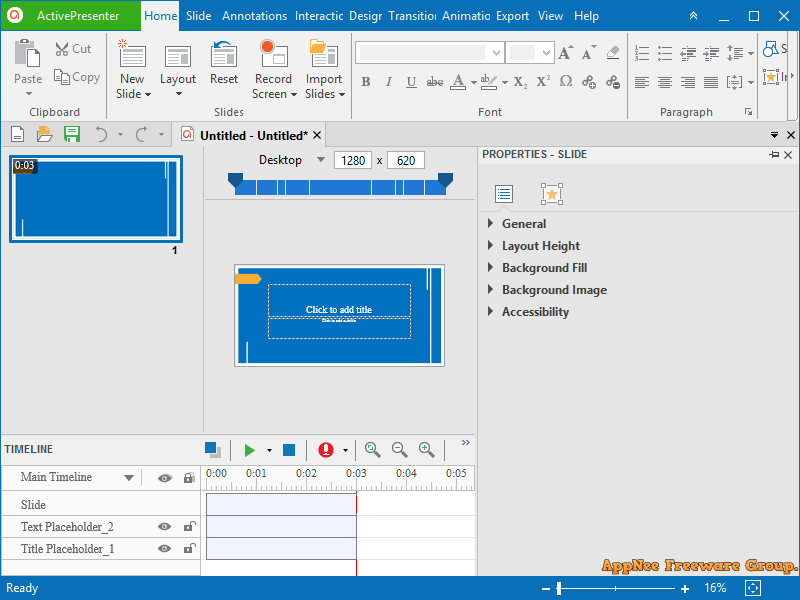
ACTIVEPRESENTER – ALL-IN-ONE SCREEN RECORDER တဲ့လုပ်လို့ရတာတွေတော့အမျာကြီးပဲ

ACTIVEPRESENTER – ALL-IN-ONE SCREEN RECORDER, VIDEO EDITOR AND ELEARNING AUTHOR တဲ့ ဒီနေ့ဟိုရှာဒီရှာနဲ့ တွေ့လာတာ စမ်းကြည့်တာတော့မဆိုးဘူးရယ် video tutorial လုပ်တဲ့သူတွေအတွက်အတော်အသုံးဝင်တယ်

ဒီကောင်နဲ့လုပ်လို့ရတာတွေကတော့ အောက်ကဟာတွေပဲ ……………

  • Screen Recording: Full Motion Recording, Smart Capture
  • Webcam Recording
  • Video Editing: Cut, Crop, Join, Change Volume, Speed Up, Slow Down
  • Multiple Audio/Video Layers
  • Annotations: Shapes, Image, Zoom-n-Pan, Closed Caption, Cursor Path, Audio/Video Overlays
  • Animations & Transitions
  • Themes & Templates
  • Export to Images (PNG, JPEG)
  • Export to: MP4, AVI, WMV, WebM, MKV
  • Advanced Audio Effects: Fade In, Fade Out, Noise Reduction
  • Advanced Video Effects: Blur, Green Screen
  • Export to HTML SlideShow
  • Export to PDF Document
  • Export to Microsoft Word
  • Export to Microsoft Excel
  • Export to Microsoft PowerPoint
  • Import from PowerPoint
  • Interactions: Button, Mouse Click, Text Input, Drag & Drop, Keystroke, CheckBox, Radio
  • Quiz: 9 Types of Questions
  • Responsive Design
  • Multipe Timelines
  • Table of Contents
  • Multiple Object States
  • Web Fonts
  • Variables
  • Advanced Interactions & Conditional Actions
  • JavaScript API
  • Export to HTML5 Simulation
  • Export to SCORM 1.2, SCORM 2004, xAPI (Tin Can API)


Lightroom CC မှာ Develop mode ကိုဝင်တာနဲ့ Crashes ဖြစ်တဲ့ပြဿနာ

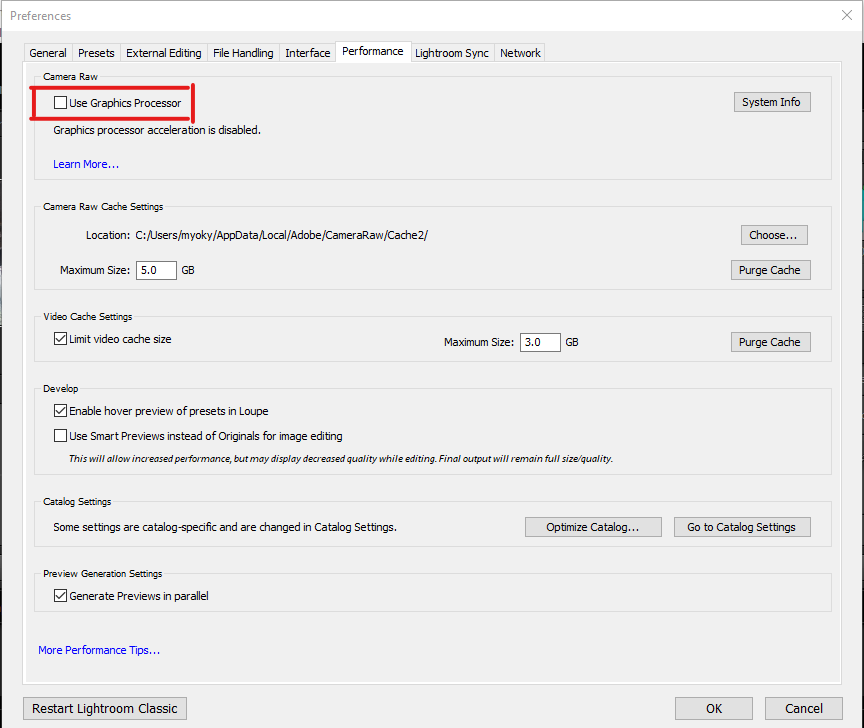
Windows အသစ်ပြန်တင်ပြီး အတော်ကြာမှ lightroom ပြန်တင်ဖြစ်တယ် အဲ့ဒီမှာ အရင်ကပြဿနာမဖြစ်ဖူးတဲ့ Develop mode ကိုဝင်တာနဲ့ Crashes ဖြစ်ပြီး ပိတ်ပိတ်သွားတာနဲ့တွေ့နေရလို့ အတော်အာရုံစားသွားတယ် Crack သုံးနေလို့ဖြစ်နေတယ်ပဲထင်နေတာ နောက်မှ Adobe Forum ထဲဝင်ဖတ်ကြည့်မှတွေ့တာ GPU acceleration ကိုပိတ်လိုက်ရင် အဆင်ပြေသွားတာပဲ 😅😅 ကိုယ့်မှာအစကမသိတော့ ဘာလုပ်ရမှန်းမသိဖြစ်နေတာ သိသွားတော့လဲ ဘာမှမခက်ဖူးရယ် Edit-> Preferences-> Performance tab-> box labeled “Use Graphics Processor” လေးဖြုတ်ပေးလိုက်ရင်ရသွားပြီ


Contacts, File Name, Folder Name တွေကို ယူနီကုဒ်ပြောင်းမယ့်သူတွေအတွက်

Contacts တွေ File Name တွေ Folder Name တွေအများကြီးကို ဇော်ဂျီကနေ ယူနီကုဒ်ပြောင်းချင်တဲ့ သူတွေအတွက်ပါ ကျနော်ကိုယ်တိုင်လဲတိုင်ပတ်ခဲ့ဖူးတယ်  😅😅 အရင်ကတော့ခက်တယ် အခုတော့ လွယ်သွားပါပြီ ……


Android အတွက် mmUniToolkit ဆိုတဲ့ app လေးထွက်နေပါပြီ (sd card ထဲမှာရှိတဲ့ file name တွေတော့ပြောင်လို့မရသေးဘူး) (တချို့က version အသစ်နဲ့အဆင်မပြေဘူးပြောနေကြလို့ အဟောင်းက ဒီမှာ ဒေါင်းလို့ရပါတယ် သုံးတဲ့အချိန်အင်တာနက်ပိတ်ထားဖို့တော့လိုပါမယ်)
iOS အတွက် Pyaung Converter မှာ contact name တွေတခါတည်းပြောင်းပေးတဲ့ Function ပါလာပါပြီ
Windows အတွက်တော့ PK Converter ကိုသုံးပါ အဆင်ပြေပါတယ်
Mac အတွက်ကတော့ လုပ်ပုံလုပ်နည်းကို ဒီမှာ ကြည့်ပါဗျ