Tag Archives: Windows

Crack Software တွေသုံးသင့်သလား

“Crack Software တွေသုံးသင့်သလား” လို့မေးလာရင်တော့ မသုံးသင့်ဘူးလို့ပဲဖြေရမှာပါ။ နိုင်ငံဆင်းရဲနေပြီး ဝယ်သုံးချင်ရင်တောင် ဝယ်သုံးရခက်တာ ဈေးကြီးလွန်းတာတွေကြောင့် တစ်ချို့ဆို Crack မသုံးချင်ပေမယ့် သုံးနေရတဲ့သူတွေအများကြီးရှိပါတယ်။ ဒီနေ့သာမန်ရုံးသုံး ကျောင်းသုံးလောက်ပဲသုံးမယ့်သူတွေအတွက် ကျနော် သုံးနေတဲ့နည်းလမ်းတစ်ချို့ကို မျှဝေပေးသွာပါမယ်။ ဒီထဲမှာ Freeware နဲ့ Free သုံးနည်းလေးတွေပဲပါမှာပါ။

၁ – Microsoft Office

ကျနော်တို့ဆီမှာ လူသုံးအများဆုံးနဲ့ Crack အလုပ်ဆုံး Software တစ်ခုပါ။ ကွန်ပျူတာသင်တန်းစတက်ပြီဆိုတာနဲ့ Microsoft Office တွေနဲ့ စပြီးရင်းနီးရတာပါပဲ။ အသုံးလဲများသလို ကောင်းလဲကောင်းပါတယ် သူလိုပုံစံတူတွေအများကြီးရှိနေပေမယ့် သူလောက်ကောင်းတာ မရှိသေးပါဘူး (သာမန်လုပ်ငန်းသုံးလေးတွေ အနေနဲ့တော့ Free Software တစ်ချို့ဆိုရင် သူ့နေရာကို အစားထိုးလို့ရပါတယ် ဒါပေမယ့် အစွဲအရ MS Office ကိုပဲ အကုန်သုံးကြတာပါပဲ)။ လွယ်လွယ်ပဲ Crack လိုက်ရင်ရတယ်ဆိုပေမယ့် အခုနောက်ပိုင်း Ransomware တွေကို MS Office Crack File တွေထဲမှာ ထည့်ပေးလိုက်တာတွေ ရှိလာနေတဲ့အတွက် တွေ့ကနေရာတွေကနေယူပြီး သွင်တာမျိုး Crack တာမျိုးမလုပ်တာ ပိုကောင်းပါမယ်။ ကျနော်ကတော့ Microsoft Office 365 Developer Preview Account လျှောက်ပြီး သုံးပါတယ် တရားဝင်သုံးတာဖြစ်တဲ့အပြင် Enterprise Account ရတာဖြစ်တဲ့အတွက် တစ်ခြား User Account 25 ခုအထိခွဲပေးလို့ရပါတယ်။ သုံးခွင့်ရက် ၉၀ ပေးထားပြီး ရက် ၉၀ ပြည့်ရင်တော့ Auto Renew လုပ်ပေးတယ်လို့ရေးထားပါတယ် ဘာပဲဖြစ်ဖြစ် သုံးရတာ သုံးပျော်ပါတယ်။

Continue reading
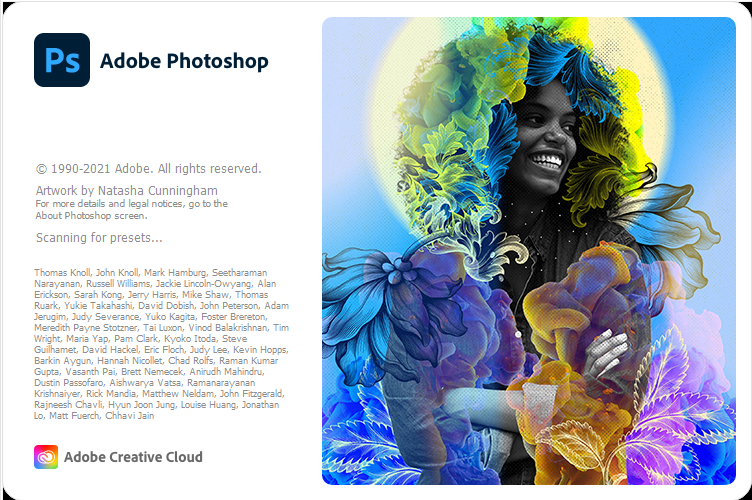

Adobe Photoshop 22

#adobe_photoshop #techmmx

Adobe Photoshop 22 လေးပါ။ ထွက်ထားတာလဲ မကြာသေးသလို Feature အသစ်တွေနဲ့ ဒီ Version လေးက အတော်လေးသုံးလို့ကောင်းပါတယ်။

System Requirements

  • Operating System: Windows XP/Vista/7/8/8.1/10
  • RAM: 2 GB
  • Hard Disk: 3 GB
  • Processor: Intel Dual Core or higher processor

Download

ADOBE ACROBAT PRO DC PORTABLE FULL VERSIONS AIO

အထွေအထူးမိတ်ဆက်ပေးစရာမလိုလောက်ပါဘူး ADOBE ACROBAT PRO ကိုမှ Portable လေးပါ Install လုပ်စရာမလိုပဲ တန်းသုံးယုံပါပဲ Crack ဖို့အတွက် အလုပ်မရှုပ်တော့တာပေါ့ 😛

Download Here

AUSLOGICS DRIVER UPDATER

Windows တင်ပြီးချိန်မှာ Driver တွေပြန်ပြီး Run ပေးမှ ကွန်ပျူတာကအလုပ်ကောင်းကောင်းလုပ်နိုင်မှာပါ တစ်ချို့ကွန်ပျူတာတွေကဟောင်းနေပြီဖြစ်လို့ Driver ရှာရခက်တာမျိုး Google မသုံးတတ်လို့ Online ကနေ Driver ရှာဖို့အဆင်မပြေဖြစ်တာမျိုးတွေ မရှိဖို့အတွက် ဒီ Software လေးက ကူညီပေးပါလိမ့်မယ်

Download Here

Windows Bootable Disk လုပ်နည်း

Window အခွေ (သို့) iso file ထဲက data တွေအကုန် Copy ကူးရမှာပါ။

Step 1: type cmd at run box ( windows + r )

Step 2: On the command prompt, type diskpart to enter the diskpart utility.

Step 3: At the DISKPART> prompt, type list disk.

Step 4: Type select disk 4, where ‘4’ is the number of your USB flash drive from the list.

Step 5: Type clean to clean the USB flash drive.

Step 6: Type create partition primary. This will create a partition in the USB.

Step 7: Type active, to make the partition active.

Step 8: Type format fs=fat32 quick to format the USB flash drive quickly in the FAT32 file system.

Step 9: Type assign to have Windows assign a drive letter to the drive. Type exit to leave diskpart and type exit again to close the command prompt.

Step 10: Insert your Windows 7 disc into your computer and copy all the files to the USB flash drive

အဆင်မပြေမှာစိုးလို့ Screen Shot ရိုက်ပြီ တင်ပေးလိုက်ပါတယ်။

http://api.ning.com/files/7r7-fVudwtqV9ppirVSLumZ9TqOxWgBvQ-lHJNgdcVnkvRZRVQh39a17SzFCTGkTBqtZmvw-LyekC5LXLvSuSuQ6DsNbVJrZ/screenshot.3.jpg